
Playgram Verification (KYC) in Telegram
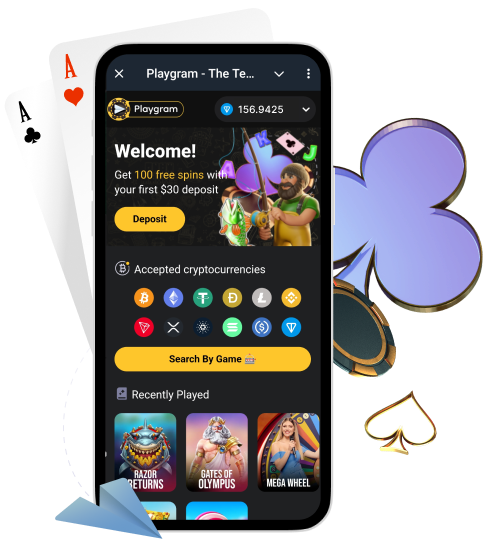
Even in a Telegram-first casino flow, verification (KYC) can be required. Most commonly it appears around withdrawals, security checks, or AML reviews. This page explains when Playgram can request documents, what to prepare, how to submit files safely, what quality rules prevent rejection, and how to contact support with one complete message if something is stuck.
Australia note: Australia is listed as restricted in the Terms. If you are in Australia, confirm access and availability first: AU access notes.
When Verification Can Be Required
Verification is usually triggered when the system needs to confirm account ownership, reduce fraud risk, or meet AML requirements. It can also happen if your activity looks unusual or if you request certain cashout actions.
- Before or during withdrawals (cashout checks).
- Security review (account protection, suspicious login patterns).
- AML checks (source of funds / compliance procedures).
- Account recovery or ownership confirmation.
- Additional checks requested by support (selfie, verification call, extra questions).
For official wording, keep KYC terms bookmarked.
What Documents Are Usually Requested
When KYC is requested, support typically asks for a small set of standard documents. Sending a complete, high-quality packet at once is the fastest path to approval.
| Document | Examples | Why it’s requested |
|---|---|---|
| Photo ID | Passport, national ID, driver’s licence | Confirms identity and age |
| Proof of address | Utility bill, bank statement, official letter | Confirms residency details |
| Selfie (if requested) | Selfie with ID or selfie verification photo | Confirms the person matches the document |
| Extra checks (if requested) | Verification call, additional questions | High-risk or special cases |
How to Submit Verification in Telegram
Verification is usually handled through an in-bot prompt or by following official support instructions. Use only official routes and keep everything in one thread.
- Open @Playgram2bot and check for a verification request message or menu item.
- If support is guiding you, follow instructions from the official support handle only.
- Prepare files before uploading: clear photos, no edits, no filters, all corners visible.
- Upload documents exactly as requested (ID first, address proof, then selfie if needed).
- Confirm your message includes your Telegram username and that files are attached.
- Wait for a status update in the same chat/thread (do not create multiple tickets).
- If asked for additional checks (selfie/call), complete them promptly.
Quality Rules That Prevent Rejection
Most KYC rejections are not “policy” — they are quality problems. Use this checklist before you submit.
- Use good lighting; avoid glare and reflections.
- Keep the document flat and include all four corners.
- Make sure text is sharp and readable (no blur).
- Do not crop out the document edges or important fields.
- Do not edit, blur, or hide details unless support explicitly requests it.
- Ensure names and addresses are consistent across your files.
- Send original photos or scans (not screenshots of screenshots).
Proof of Address: What Usually Works
Proof of address is the most common rejection point because documents are often old, incomplete, or unreadable. Aim for “official, recent, and clear”.
- Do: use a recent official document where your full name and address are visible.
- Do: include the date and issuing entity in the same image/page.
- Do: send the full page (not a cropped fragment).
- Don’t: send a document that is too old or missing the address field.
- Don’t: send blurred photos, angled shots, or images with glare.
- Don’t: send something that shows a different name/address than your account.
Payment Ownership Requests (If Asked)
Sometimes support may ask you to confirm ownership of the payment method you used (for example, your wallet). If that happens, keep it simple and follow official instructions only.
- Confirm the coin and network you used in the cashier.
- Provide transaction details (TxID) and the sending wallet details if requested.
- Be ready to show evidence that the sending wallet belongs to you.
- Keep your payment context consistent with cashier basics.
Privacy and Safe Sharing
Your documents are sensitive. The biggest risk is sending them to an unofficial “support” account. Use only official routes and treat random DMs as a red flag.
| Safe route | What to use | What to avoid |
|---|---|---|
| In-bot verification prompt | @Playgram2bot upload flow | Forwarded “mirror bots” |
| Official support | @playgramhelp (single thread) | Random DMs claiming “admin” |
| Official community context | t.me/playgrammers for announcements | Publicly posting documents or TxIDs |
Before you share anything, review privacy rules.
How Long Verification Can Take (What Is “Normal”)
Verification timing can vary depending on queue and case complexity. The best approach is to check status, keep one thread, and escalate only when it is clearly stuck.
- Check whether support confirmed receipt of your documents.
- Look for a status update in the same chat/thread (avoid opening new chats).
- If you were asked for extra steps (selfie/call), complete them as soon as possible.
- If there is no response for a long time, send one follow-up with your original submission time and screenshots.
| Stage | What to check | When to contact support |
|---|---|---|
| Submitted | Files attached, message sent, receipts visible | If you’re not sure the files went through |
| Under review | Any status updates or questions from support | If there is no update for an extended time |
| Rejected | Reason given (quality, mismatch, expired) | Reply with corrected files in one message |
Common Reasons Verification Fails
Blurry / Low Resolution Photos
- Retake the photo in strong light and keep the camera steady.
- Focus on the text area and avoid digital zoom.
- Send the original photo, not a compressed repost.
Glare, Shadows, or Cropped Edges
- Move the document away from reflective surfaces.
- Show all four corners and avoid cutting off edges.
- Retake from straight above with even lighting.
Mismatch Between Account Details and Documents
- Confirm your account name and address match the document.
- If something is wrong, ask support how to correct account details.
- Send only one clear, consistent set of documents.
Expired or Invalid ID
- Check expiration date before you submit.
- Use a valid, current document only.
- If you only have one ID, ask support what alternatives are accepted.
Proof of Address Too Old / Not Readable
- Use a recent official document where name + address are visible.
- Ensure the date and issuer are shown on the same page.
- Send the full page and keep everything readable.
Sent to Unofficial Contact
- Stop sharing immediately and do not send additional files.
- Collect screenshots of the conversation and the account handle.
- Message official support and explain what happened.
- In the future, use only @Playgram2bot or @playgramhelp.
Extra Checks (Selfie/Call) Not Completed
- Complete the requested step in the time window given by support.
- Keep the conversation in one thread to avoid delays.
- If you can’t complete it, explain why and ask for an alternative.
Verification Requested During Withdrawals
If you started a withdrawal and KYC is requested, do not keep resubmitting withdrawals. Complete verification first and keep your case in one thread.
- Pause new withdrawal attempts and read the request carefully.
- Prepare ID + proof of address and follow the quality checklist above.
- Submit everything in one message (or one in-bot upload sequence).
- Wait for confirmation and respond to any follow-up questions quickly.
- After approval, return to the cashier and retry the cashout.
If you need help with cashout logic, see withdrawal unblock.
If You Are in Australia
Because Australia is listed as restricted in the Terms, you should be extra careful with verification and withdrawals: access can be limited, and the correct path is always to clarify with official support.
- Confirm the bot and cashier screens open normally before you submit documents.
- Use only official handles and keep one thread with support.
- If access is restricted, ask support what options are available for your region.
Start with AU access notes.
Contact Support About Verification
If your KYC is rejected or stuck, send one complete message. This speeds up resolution and avoids repeated questions.
| Field | Example | Notes |
|---|---|---|
| Issue type | KYC rejected / pending | Be specific |
| What was requested | ID + proof of address + selfie | List exactly what support asked for |
| What you sent | Passport + utility bill | Helps compare to the request |
| Time sent | [date] [time] AEST | Include timezone |
| Your Telegram username | @yourusername | Helps support locate your case |
| Screenshots | Request + submission confirmation | Attach both |
If you need the official support routes, see verification support.
FAQ
Why is verification required in a Telegram casino?
Verification helps confirm identity and account ownership, reduces fraud, and supports AML checks. It often appears around withdrawals or security reviews.
What documents does Playgram usually request?
Common requests include a photo ID and proof of address. In some cases, you may also be asked for a selfie or extra checks like a verification call.
Do I need KYC before withdrawing?
Verification can be requested before or during withdrawals. If it appears, complete KYC first and keep your case in one thread with official support.
Where do I upload verification files?
Use the in-bot upload prompt if available or follow instructions from official support. Avoid sending documents to unofficial accounts.
How do I avoid verification rejection?
Send clear, well-lit photos with all corners visible, no glare, and matching details (name and address). Submit the full set in one batch.
What proof of address works best?
Use a recent official document where your full name, address, date, and issuer are visible. Avoid cropped or unreadable photos.
Can verification be requested again later?
Yes. Additional checks can be requested if your activity changes, for security reasons, or for compliance reviews.
What if my name/address doesn’t match?
Don’t guess. Ask support how to correct your account details and then submit documents that match the corrected profile.
Is it safe to send documents in Telegram?
It can be safe if you use official routes (in-bot prompt or official support handle). Never send documents to random DMs or forwarded “support” accounts.
What should I send support if my KYC was rejected?
Send the rejection reason (if provided), what you submitted, the time sent, your Telegram username, and corrected high-quality files or screenshots.
What if I’m in Australia and access is limited?
Do not proceed blindly. Check AU access notes and message support to confirm what is available in your region.
How do I check my verification status?
Check the same chat/thread where you submitted documents, and look for status updates or follow-up questions from support.