
Playgram in Australia: Access and Availability
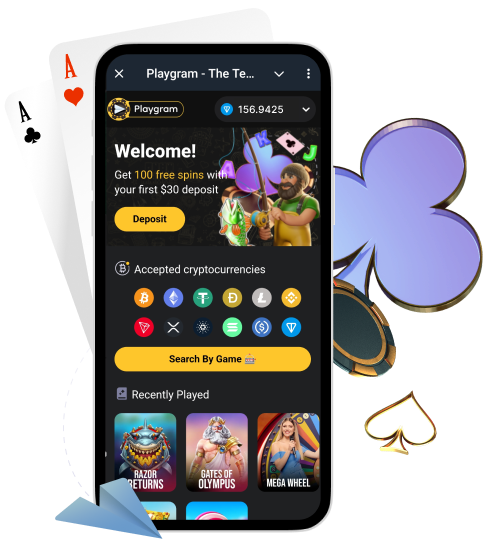
If you’re trying to use Playgram from Australia, this page is your practical checklist. Our Terms list Australia and its territories as a restricted jurisdiction, so availability can be limited or change. The safest rule is simple: confirm access first, and only then consider funding your balance.
On this page we show you how to verify access inside Telegram, what to check in the cashier before you deposit, what not to do if access is limited, and how to message support in a way that gets a fast, accurate response.
Australia Status in Our Terms
Before you take any action, read what the Terms say about restricted use and match it to what you see inside Telegram. If the bot or cashier is limited in Australia, that behaviour is consistent with a restricted jurisdiction rule.
| Item | What it means | Where to check |
|---|---|---|
| Australia listed as restricted | Access may be limited or unavailable from AU | Read terms for Australia |
| Restricted use messaging | You may see an in-bot notice or blocked features | Bot screen + Terms section |
| Cashier and withdrawals conditions | Rules may still apply if your access changes later | Terms + in-bot cashier status |
How to Confirm Access in Telegram
Do this quick “access check” before you send any crypto. It takes under a minute and prevents most avoidable issues.
- Open the official bot and make sure the chat loads normally (no clone, no mirror).
- Tap Start (or re-open the menu) and confirm you can see the main navigation buttons.
- Open the cashier/wallet area and confirm Deposit and Withdrawal menus are visible.
- Open History/Transactions (or equivalent) to confirm account sections load.
- If you see a restriction notice, take a screenshot and stop here (do not fund).
What You Should Verify Before Funding
Funding is the point of no return. If Australia access is restricted, you want to be certain you can reach the cashier screens first.
- You can open the cashier deposit screen and select the coin/network you intend to use.
- The cashier shows a deposit address (or wallet connect flow) without errors.
- You can open the withdrawal screen (even if you won’t withdraw yet).
- You can open transaction history and see the account sections load correctly.
- You understand the minimum deposit/withdrawal limits and network requirements.
Once access is confirmed, check crypto minimums before you send funds.
Official Bot and Support for Australia
Australia is a high-risk region for clones and fake “support” accounts. Use only official routes.
| Destination | Handle | Use case |
|---|---|---|
| Play bot | @Playgram2bot | Start, lobby navigation, cashier actions |
| Community | t.me/playgrammers | Announcements, updates, general help |
| Support | @playgramhelp | Access checks, deposit/withdrawal issues, verification help |
| Manager (community) | @Playgram_casinomanager | Escalations from the community channel |
Common Reasons Access Can Fail
When access is limited from Australia, it can look like the bot “does not open”, the cashier is missing, or buttons don’t respond. Before you assume it’s a bug, rule out the basics.
- You opened a clone bot or a forwarded link (wrong handle).
- Telegram is outdated or the app cache is corrupted.
- Connection instability (mobile network / Wi-Fi switching mid-session).
- Regional restriction messaging (AU listed as restricted in Terms).
- Temporary maintenance or rate limits (try again later, but do not fund).
What Not to Do When Access Is Limited
If the bot or cashier is restricted in Australia, some actions can make things worse or create compliance problems. Keep it clean.
- Do not fund your balance “just to test” when you see restriction messages.
- Do not follow unofficial “mirror bots” or random support accounts.
- Do not share your TxID, wallet details, or screenshots publicly in chats.
- Do not attempt to bypass restrictions; instead, request clarity from support.
How to Ask Support About Availability
When you message support, one complete request beats ten short messages. Use the steps below so the team can answer quickly and accurately.
- State your region: “I’m in Australia”.
- Describe what fails: bot won’t open / cashier missing / withdrawal screen blocked.
- Add timing: date + time (your timezone) and the device you use.
- Attach screenshots of the restriction notice or missing sections.
- Ask a direct question: “Is access available for AU right now, and what are the allowed options?”
| Field | Example | Why it helps |
|---|---|---|
| Issue type | Access restricted / cashier missing | Routes your ticket faster |
| Region | Australia | Determines availability rules |
| Time + device | 10:15 AEST, Android | Helps reproduce the issue |
| Screenshot | Restriction notice | Confirms the exact message |
| Telegram username | @yourusername | Lets support locate your session |
For a full template you can copy-paste, use message support.
Deposits After You Confirm Access
If access is confirmed and the cashier deposit screen loads normally, proceed carefully:
- Choose the exact coin and the exact network shown in the cashier.
- Send at or above the minimum deposit limit for that coin.
- Save your TxID and timestamp immediately after sending.
Use deposit steps to avoid wrong-network transfers.
Withdrawals If Your Location Changes
Access rules can change by region. If you funded successfully and later notice access limitations, don’t panic and don’t take random actions. The correct approach is to check your withdrawal conditions, then message support with a complete packet.
- Open withdrawal screen and verify minimums and any requirement flags.
- Check whether any fee rule applies (for example a deposit wagering requirement).
- Prepare your wallet address, coin/network, and your recent transaction details.
Before cashing out, review withdrawal conditions.
Verification Requests in Sensitive Cases
Even in a Telegram-first flow, verification can be requested before withdrawals or for security/AML checks. If your access changes by location or you trigger security review, you may be asked for documents.
- Photo ID (clear, readable, valid).
- Proof of address (recent document; details must match your account).
- Additional checks like a selfie or verification call.
If documents are requested, follow verification files requirements and upload clear scans in one batch.
Keep Your Telegram Account Secure
In Telegram casinos, your Telegram security is your account security. Do the basics once and reduce risk long-term.
- Enable Telegram 2-Step Verification (password + recovery email).
- Review active sessions/devices and remove anything you don’t recognise.
- Lock your device, keep your OS updated, and avoid public Wi-Fi for cashier actions.
- Never share your codes, sessions, or “support verification” messages with anyone.
Problems and Fixes
Bot Does Not Open in Australia
- Update Telegram, restart the app, and try again.
- Verify you are using the official handle (not a forwarded clone).
- Take a screenshot of any restriction message.
- If it still fails, message support with the screenshot and your region.
Access Is Limited or Blocked
- Write down what exactly is blocked: bot, cashier, withdrawals, or history.
- Record the time and device you use.
- Compare the limitation with terms for Australia before taking action.
You Funded, Then Access Changed
- Collect TxID, coin, network, amount, and the time you sent it.
- Save the destination address shown in the cashier screen.
- Do not repeat transfers “to fix it”.
- Send the full packet via message support so the transfer can be traced.
Support Reply Is Slow
- Send one message with all details (do not split into many messages).
- Include region, time, device, screenshots, and a clear issue title.
- Use the support template so the team can respond without extra questions.
Verification Requested After Location Change
- Prepare ID + proof of address and ensure every detail is readable.
- Make sure names match your account and documents are valid.
- Follow verification files requirements to avoid repeated requests.
FAQ
Is Playgram available in Australia?
Our Terms list Australia as a restricted jurisdiction. That means access may be limited. Always confirm access in Telegram before you fund your balance, and follow local rules.
Why is Australia listed as restricted?
Restricted jurisdictions are defined in the Terms. The practical outcome is that access can be blocked or features can be unavailable from that region.
How do I check access before depositing?
Open the bot, confirm menus load, open the cashier, and verify you can see deposit and withdrawal screens. If you see a restriction notice, stop and contact support.
What should I see in the cashier to confirm access?
You should be able to select a coin and network, see a deposit address (or wallet connect flow), and open transaction history without errors.
Which Telegram handle is the official bot?
The commonly referenced official handle is @Playgram2bot. Always verify the handle carefully and avoid forwarded links.
What should I send support about availability?
Your region (Australia), what fails (bot/cashier/withdrawal), time + device, and screenshots of the exact message or missing sections.
What if access changes after a deposit?
Gather TxID, coin, network, amount, time sent, and the destination address shown in the cashier. Then message support with one complete packet.
Can verification be requested in a Telegram flow?
Yes. Verification can be requested for withdrawals or security/AML checks. Be ready with ID and proof of address if asked.
Where do I find deposit minimums?
Check them in the cashier before you send funds, and keep a reference page of crypto minimums for quick decisions.
Where do I check withdrawal conditions?
Use withdrawal conditions to understand minimums, fees, and requirements before you cash out.