
Playgram Privacy and Data Safety in Telegram
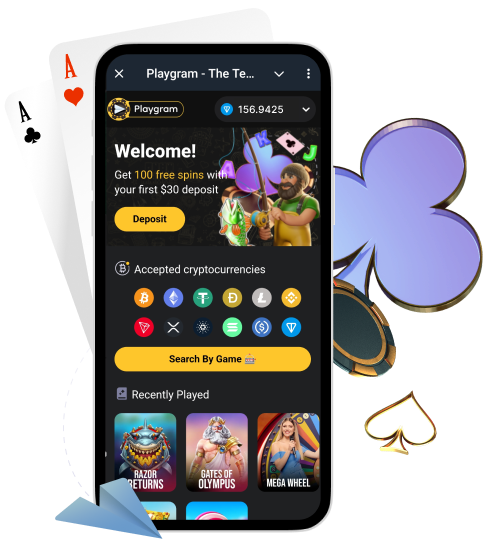
Playgram runs inside Telegram, which is convenient, but it also means your privacy and security depend on how carefully you share information. This page explains what data you may provide, where it is safe to send KYC files, how to share TxIDs and screenshots without exposing yourself, and how to spot fake support accounts.
For rule wording and availability restrictions, keep official Terms bookmarked. If you suspect a scam or shared data with the wrong account, contact privacy support immediately.
Australia note: Australia is listed as restricted in the Terms. If you are in AU, confirm access before sharing funds or documents: AU access notes.
What This Privacy Page Covers
- What data you may provide during deposits, withdrawals, and verification.
- Telegram-specific risks (fake support, clone bots, address swaps).
- Where to send KYC files and what support will never ask for.
- Safe sharing rules for TxIDs, wallet addresses, and screenshots.
- How to report suspicious accounts and protect your Telegram account.
What Data You May Provide
Depending on the situation, you might provide different kinds of information to use the cashier, resolve a payment issue, or complete verification.
| Data type | Examples | Why it’s used |
|---|---|---|
| Telegram account info | Telegram username, basic profile details | Account identification for support and access |
| Payment details | Coin, network, amount, TxID | Tracing deposits/withdrawals and resolving issues |
| Screenshots | Cashier screens, status messages | Shows the exact error text and selection |
| Verification documents (KYC) | Photo ID, proof of address, selfie (if requested) | Identity, ownership, and AML/security checks |
| Device/time context | Device model, OS, time sent (timezone) | Helps reproduce issues and locate logs |
Telegram-Specific Risks (The Real Ones)
The biggest privacy risk in Telegram is not the platform itself — it is scammers pretending to be support. Most attacks look convincing, especially if you are stressed about a missing deposit.
- Do: verify official handles character-by-character before replying.
- Do: use only official routes (bot prompts and official support).
- Do: keep one support thread and send one complete packet.
- Don’t: trust unsolicited DMs claiming “admin” or “support”.
- Don’t: follow “recovery” services or pay to “unlock” funds.
- Don’t: post TxIDs, wallet addresses, or documents in public groups.
- Don’t: reuse old deposit addresses from screenshots or chats.
How We Ask for KYC and Where to Send Files
If verification (KYC) is requested, use only the official route shown inside your Telegram flow or the official support handle listed on support. Never send documents to random accounts.
- Check for an in-bot verification prompt in @Playgram2bot.
- If support guides you, confirm the handle is official before sending anything.
- Prepare files: clear photos, all corners visible, no glare, no filters.
- Send one complete packet (ID, proof of address, selfie if requested).
- Keep everything in one thread and wait for confirmation.
For photo quality rules and common rejection reasons, use the KYC checklist.
KYC Files: What to Blur (and What Not to Blur)
In most cases, you should not blur or edit documents unless support explicitly asks you to. Blurring critical fields can cause rejection and delays.
- Usually OK: blur unrelated numbers or fields only if support confirms it is acceptable.
- Risky: blurring your name, document number, expiration date, address, or issuer details.
- Best practice: submit clean, clear images first, then follow support instructions if any masking is required.
- Never: send documents publicly or in community chats.
What Support Will Never Ask For
If someone requests any of the items below, it is a scam. Official support does not need them to trace your transaction or verify your account.
| Never requested | Why it’s a scam | What to do |
|---|---|---|
| Seed phrase / private keys | Gives full wallet control | Stop messaging and report the account |
| Telegram login codes | Lets scammers hijack your Telegram | Enable 2-Step Verification and delete the chat |
| “Pay to unlock funds” | Classic fake recovery scheme | Do not pay; contact official support |
| Remote access apps | Allows device takeover | Never install; reset passwords and scan device |
Sharing TxIDs, Screenshots and Wallet Addresses Safely
TxIDs and screenshots are normal for support, but they should be shared only with official support and only when needed.
- Share TxID only in a private support thread, never in public chats.
- Include coin + network so support can trace the correct blockchain.
- Use screenshots that show the relevant screen text, but avoid exposing unnecessary personal data.
- Do not share full balances publicly.
- If you need minimums and supported coins, use cashier basics.
- For safe deposit flow, follow deposit safety.
- For cashout troubleshooting, see cashout safety.
Data Retention and Access (Practical View)
Privacy works best when you share only what is necessary. In practice, the safest approach is to minimise what you disclose and keep sensitive files within official routes only.
- Share only the minimum data needed to resolve your issue.
- Keep KYC documents in the official verification flow only.
- Use a single thread so you don’t duplicate sensitive files across chats.
- Do not forward your documents or screenshots to third parties.
- If you’re unsure, ask support what fields are required before sending.
Your Responsibility: Account Security
Privacy also depends on your own account hygiene. Telegram account security should be treated like banking security.
- Enable Telegram 2-Step Verification (password).
- Review active sessions and log out devices you do not recognise.
- Keep your phone and Telegram app updated.
- Use a device lock (PIN/biometrics) and avoid shared devices.
- Do not click unknown links or install “support tools”.
If You’re in Australia (Restricted)
Because Australia is listed as restricted in the Terms, do not deposit or share documents before you confirm access for your location.
- Open the bot and confirm the cashier screens are available.
- If you see restriction messaging, stop and do not fund.
- Ask official support to confirm what is available for AU users.
Start here: AU access notes.
How to Report Scams and Suspicious Accounts
If you receive a suspicious DM or believe you interacted with a clone account, act quickly. Speed matters more than perfect wording.
- Stop sharing any data immediately.
- Take screenshots of the chat, handle, and any requests made.
- Report the account in Telegram and block it.
- Contact official support with the screenshots and timeline.
- If you shared a login code or suspect account takeover, reset your Telegram security and review active sessions.
Contact Support About Privacy
If you suspect a scam, or you shared information with the wrong account, message official support with a complete packet. This helps support assess risk and advise next steps.
| Field | Example | Notes |
|---|---|---|
| Issue type | Suspicious support account | Be specific |
| Suspicious handle | @fake_support_name | Include the exact username |
| What was shared | TxID / screenshots / documents | List only what you sent |
| Time + timezone | [date] [time] AEST | Helps reconstruct timeline |
| Screenshots | Chat + requests | Attach key messages |
| Region | Australia | Availability can be region-based |
Use privacy support and keep everything in one thread.
FAQ
Is it safe to send documents in Telegram?
It can be safe if you use official routes only (in-bot verification prompt or official support). Never send documents to random DMs or public chats.
Where do I send KYC files officially?
Use the in-bot verification prompt in @Playgram2bot or follow instructions from official support listed on support.
What should I blur on my documents?
Do not blur critical fields unless support explicitly requests it. Blurring name, address, document number, or expiration date often leads to rejection.
What details are safe to share with support?
In a private official support thread, it is safe to share coin + network, TxID, timestamps, and relevant screenshots. Avoid sharing unnecessary personal data.
What will support never ask for?
Support will never ask for your seed phrase, private keys, Telegram login codes, or payments to “unlock” funds.
How do I spot fake support accounts?
Fake support often DMs you first, asks for keys or login codes, or requests payment for recovery. Always verify the handle exactly and use only official contacts.
What if I already sent info to a scammer?
Stop sharing, take screenshots, report and block the account, then contact official support with your timeline and what you shared.
Can I post my TxID in public chats?
No. Share TxIDs only with official support in a private thread.
How do I secure my Telegram account?
Enable Telegram 2-Step Verification, review active sessions, and keep your device and Telegram app updated.
What if I’m in Australia and access is limited?
Do not deposit or share documents until access is confirmed. Start with AU access notes and ask official support about availability.
Why do you need screenshots?
Screenshots show the exact error text, coin/network selection, and status messages, which helps support resolve issues faster.
How do I report a suspicious account?
Stop sharing data, capture screenshots, report and block the account in Telegram, then contact official support with the evidence.