
Playgram Withdrawals: How to Cash Out in Telegram
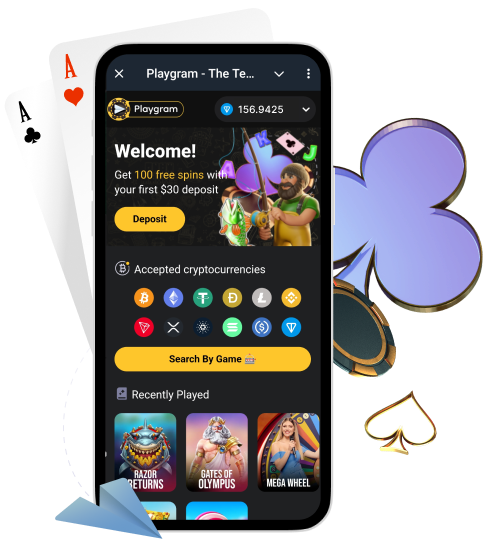
Withdrawing from Playgram happens inside Telegram through the in-bot cashier. This page is your cashout guide: the minimum withdrawal rule, coin-specific minimums, the key 1x deposit condition, when a withdrawal fee can apply, and what to do if your cashout is pending or declined.
Australia note: Australia is listed as restricted in the Terms. If you are in Australia, confirm availability and access before you rely on withdrawals. Start here: Australia access.
Before You Withdraw: Confirm Access and Read the Rules
Cashouts are where most “surprises” happen. Before you hit Withdraw, confirm you can open the withdrawal screen in the bot and read the key rules in Terms and rules.
- Open the bot and confirm the cashier withdrawal screen loads.
- Check the coin and network options offered for withdrawals.
- Confirm your amount is above both the general and coin-specific minimums.
- Understand the 1x deposit requirement to avoid potential commission.
- If you see restriction messaging, stop and contact support before submitting a cashout.
Where the Withdrawal Menu Is in Telegram
Withdrawals are typically located in the same cashier/wallet area as deposits.
- Open Telegram and go to @Playgram2bot.
- Open the cashier/wallet menu.
- Select Withdraw (or the withdrawal action in the wallet menu).
- Choose the coin and confirm the network shown in the cashier.
- Paste your destination address carefully (and destination tag if required).
- Submit and then check your History/Transactions status.
Withdrawal Rules You Must Know
These are the core withdrawal conditions described in the Terms and commonly repeated in cashier guidance. Keep them in mind when planning your cashout amount and timing.
| Rule | Value | Practical meaning |
|---|---|---|
| Minimum withdrawal (general) | €10 (or equivalent) | Your cashout must meet this baseline, plus coin-specific minimums |
| Deposit rollover requirement | 1x deposit | Wager your deposit amount at least once to avoid commission |
| Commission if requirement not met | 8% (minimum €4) | A fee can apply if you withdraw without meeting the 1x deposit rule |
| Maximum withdrawals per month | €500,000 per month | Total monthly cashouts cap |
If you want the complete cashier context (coins + minimums), see payment methods.
Minimum Withdrawal Limits by Coin
Even if your amount meets the general €10 (or equivalent) rule, the coin-specific minimum can still block the cashout. Always confirm the current minimum in the cashier screen before you submit.
| Coin | Minimum withdrawal | Notes |
|---|---|---|
| BTC | 0.0002 | Confirm BTC address format |
| ETH | 0.01 | Confirm Ethereum network |
| USDT | 1.0 | Use the exact network shown in cashier |
| USDC | 5 | Match network with your wallet |
| TON | 0.1 | Verify TON wallet address |
| LTC | 0.01 | Confirm Litecoin network |
| Coin | Minimum withdrawal | Notes |
|---|---|---|
| BNB | 0.01 | Confirm network shown in cashier |
| DOGE | 1.0 | Double-check the address |
| TRX | 10 | TRON network only |
| XRP | 0.001 | Check destination tag requirements |
| ADA | 2 | Confirm Cardano network |
| SOL | 0.01 | Confirm Solana network |
How the 1x Deposit Rule Affects Your Cashout
The key idea is simple: if you try to withdraw without wagering your deposit amount at least once, a commission can apply. This rule is often presented as an AML/anti-fraud measure.
- If you meet the 1x deposit requirement, withdrawals are commonly described as commission-free on the platform side.
- If you do not meet it, a fee can apply (8% with a minimum €4).
- If you’re not sure whether you met the requirement, check your activity/history and ask support before you submit.
Network and Address Safety for Withdrawals
Wrong-network withdrawals and missing tags are the fastest way to lose time (and sometimes funds). Use this checklist every time.
- Select coin and network in the cashier first, then paste the matching destination address.
- If your coin requires a destination tag/memo (common with some wallets), confirm it before you submit.
- Do not re-use an old address “because it worked once” if you switched networks.
- Double-check the first and last characters of the destination address.
- Take a screenshot of the withdrawal screen before you submit (address partially visible, coin + network visible).
Verification (KYC) That Can Be Requested Before Withdrawals
Even if the Telegram flow feels lightweight, verification can be requested before you withdraw or as part of security/AML checks. If documents are requested, it’s usually faster to submit a complete set in one go.
- Photo ID (clear and valid).
- Proof of address (recent and readable).
- Additional checks (selfie, extra questions, verification call) in some cases.
Use verification steps to prepare files correctly and reduce back-and-forth.
Withdrawal Pending or Declined: Fast Troubleshooting
If your withdrawal does not go through, most cases fall into a few predictable buckets. Rule them out in this order.
Amount Is Below the Minimum
- Confirm the coin-specific minimum withdrawal on this page and in the cashier screen.
- Also confirm your amount meets the general minimum (as described in the Terms).
- If you believe it should be allowed, contact support with screenshots and details.
Wrong Network or Missing Tag
- Confirm the selected network matches your destination wallet network.
- For coins that may require a tag/memo, confirm you entered it correctly.
- Do not resubmit repeatedly; capture the screen and ask support for guidance.
Fee Showing Because 1x Deposit Was Not Met
- Check whether your deposit was wagered at least 1x.
- Compare the fee shown to the rule (8% with a minimum fee).
- If it looks wrong, capture screenshots and ask support to explain the calculation.
Verification Requested
- Check for a KYC request message in the bot or via support instructions.
- Submit clear ID + proof of address in one batch using verification steps.
- After submission, keep your ticket in one thread to avoid delays.
Regional Access Limitation
- If your access changed by region (including Australia restrictions), stop and ask support what options are available.
- Do not try random workarounds; send screenshots and your region in one message.
- Start with Australia access for the correct checklist.
How to Contact Support About a Withdrawal
If you need help, send one complete message. This is the fastest way for support to trace what happened and give a precise answer.
| Field | Example | Notes |
|---|---|---|
| Issue type | Withdrawal pending / declined | Be specific |
| Coin + network | USDT (TRC20) | Must match cashier selection |
| Amount | 120.00 | Exact number helps confirm minimums |
| Destination address | [your address] | Include tag/memo if applicable |
| Time submitted | [date] [time] AEST | Include timezone |
| Screenshots | Withdrawal screen + status | Shows coin, network, and the exact message |
| Any related TxID | If provided by the system | Include it if you have it |
Open support for official contacts and a copy-paste template.
FAQ
What is the minimum withdrawal on Playgram?
The Terms commonly describe a general minimum withdrawal of €10 (or equivalent), and coin-specific minimums also apply (for example 1.0 USDT or 0.0002 BTC). Always confirm in the cashier screen before you submit.
Why is a fee shown on my withdrawal?
A fee can apply if you try to withdraw without meeting the 1x deposit rollover requirement. The rule is commonly described as 8% with a minimum fee amount. If it looks wrong, ask support to explain using your screenshots.
What is the 1x deposit rule?
It means you should wager your deposit amount at least once before withdrawing to avoid a commission as described in the Terms.
What is the monthly withdrawal limit?
The Terms commonly list a maximum of €500,000 per month in withdrawals.
Why is my withdrawal pending?
Common reasons include: coin minimum not met, wrong network or missing tag, verification request, the 1x deposit requirement/fee condition, or regional access limitations. Use the troubleshooting section above and then contact support with a full packet.
Can verification be required before I withdraw?
Yes. Verification can be requested before withdrawals or as part of security/AML checks. If requested, follow verification steps and upload clear documents.
How do I avoid wrong-network withdrawal issues?
Select coin and network in the cashier first, then paste the matching destination address and tag/memo (if required). Double-check the address characters before you submit.
Where do I get help with a withdrawal problem?
Use the official support route and send coin, network, amount, destination address, time submitted, and screenshots in one message. See support.