
Playgram Support and Help in Telegram
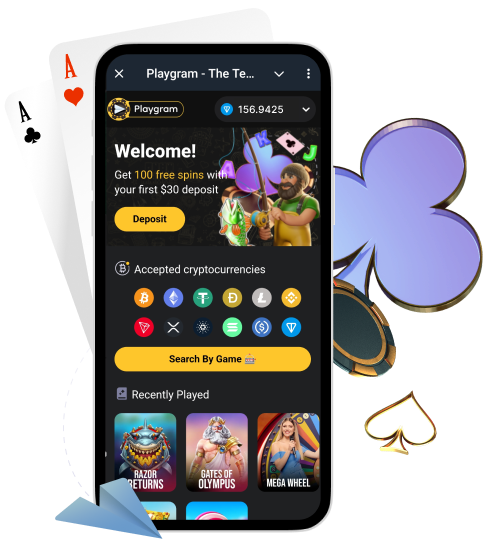
This page is your support hub for Playgram in Telegram. Here you’ll find official contacts, a fast self-check you can do before messaging support, copy-paste templates for the most common issues, and a scam-proof checklist so you don’t hand your money or documents to a fake “admin”.
Australia note: Australia is listed as restricted in the Terms, so access can be limited. If you are in AU, start with AU access rules before funding.
Official Support Contacts (No Clones)
Use only official handles. Telegram has many clones and copy bots, and most “help” scams start with an unsolicited DM.
| Destination | Handle | Best for |
|---|---|---|
| Play bot | @Playgram2bot | Start, menus, cashier access, account flow |
| Support | @playgramhelp | Deposits, withdrawals, verification, access questions |
| Community | t.me/playgrammers | Announcements, updates, general help |
| Manager (community) | @Playgram_casinomanager | Escalations from the community channel |
For official wording of rules and restrictions, keep official Terms bookmarked.
Before You Message Support: Quick Self-Check
Many issues can be solved in under a minute. Do these quick checks before opening a ticket.
- Confirm you are using the correct handle (no forwarded clone).
- Update Telegram and restart the app.
- Check your connection (switch Wi-Fi / mobile data once).
- Open the cashier and confirm coin + network selection is visible.
- If it’s a deposit issue, confirm you have the TxID and confirmations.
- If it’s a withdrawal issue, confirm your amount meets minimums and address/tag is correct.
- If you see access restriction messaging (Australia included), stop and read AU access rules.
Support Message Rules (One Thread, One Packet)
The fastest way to get help is to send one complete message with everything support needs. Splitting details across ten messages slows things down.
- Use one official contact (usually @playgramhelp) and keep one thread.
- Start with a clear issue title (Deposit not credited / Withdrawal pending / KYC rejected).
- Include your full data packet (coin, network, amounts, TxID, times, screenshots).
- Send screenshots once (do not spam repeated images).
- Wait for follow-up questions and answer them in the same thread.
Copy-Paste Templates (By Issue Type)
Template: Deposit Not Credited
Hello! My deposit has not credited yet.
Region: [country]
Coin + network: [e.g., USDT TRC20]
Amount: [exact amount]
TxID: [hash]
Time sent: [date + time + timezone]
Destination address (from cashier): [address]
Screenshots: cashier deposit screen + wallet transaction
Please check and confirm the status. Thank you.
Template: Withdrawal Pending / Declined
Hello! My withdrawal is pending/declined.
Region: [country]
Coin + network: [e.g., BTC]
Amount: [exact amount]
Destination address (+ tag/memo if any): [address]
Time submitted: [date + time + timezone]
Current status message: [copy text / attach screenshot]
Screenshots: withdrawal screen + status screen
Please advise what is blocking it and what to do next. Thank you.
Template: Fee Charged on Withdrawal
Hello! A withdrawal fee appeared and I want to confirm why.
Region: [country]
Coin + network: [coin + network]
Amount: [exact amount]
Fee shown: [value + screenshot]
Time submitted: [date + time + timezone]
Can you confirm if this is related to the 1x deposit rule and explain the calculation? Thank you.
Template: KYC Requested / Rejected
Hello! I need help with verification (KYC).
Region: [country]
What was requested: [ID / proof of address / selfie]
What I sent: [list files]
Time sent: [date + time + timezone]
Status / rejection reason: [screenshot or text]
Telegram username: [@username]
Please confirm what I should re-submit and any quality requirements. Thank you.
Template: Access Restricted / Bot Not Opening (AU)
Hello! I cannot access the bot/cashier from my region.
Region: Australia (or other)
What fails: [bot does not open / cashier missing / withdrawal screen blocked]
Device: [Android/iOS/Desktop]
Time: [date + time + timezone]
Screenshots: restriction message / missing menu
Can you confirm availability for my region and allowed options? Thank you.
Deposit Issues: What Support Needs
If your deposit did not credit, support needs your on-chain identifier (TxID) and the exact coin/network. Without this, tracing is slow.
| Field | Example | Why it matters |
|---|---|---|
| Coin + network | USDT (TRC20) | Most issues are network-related |
| Amount | 25.00 | Checks minimums and expected credit |
| TxID | 0x… | Primary trace identifier |
| Time sent | [date] [time] AEST | Aligns logs and confirmations |
| Destination address | Copied from cashier | Validates recipient |
| Screenshots | Cashier + wallet details | Shows exact selection and messages |
Before sending again, check crypto minimums and follow deposit steps.
Withdrawal Issues: What Support Needs
For withdrawals, address accuracy and coin minimums matter most. If a fee appears, screenshots help support explain whether it’s tied to the 1x deposit rule.
| Field | Example | Why it matters |
|---|---|---|
| Coin + network | BTC / USDT TRC20 | Must match cashier selection |
| Amount | 120.00 | Confirms minimum thresholds |
| Destination address (+ tag) | [address] + [memo] | Wrong address/tag blocks payouts |
| Time submitted | [date] [time] AEST | Helps locate status changes |
| Status screenshot | Pending/Declined message | Shows the exact system response |
| Fee screenshot (if any) | 8% fee shown | Support can explain calculation |
Use the cashout guide before resubmitting.
Verification (KYC) Issues: What Support Needs
If verification is rejected or stuck, the fastest fix is to re-submit a corrected, high-quality packet and keep everything in one thread.
| Field | Example | Why it matters |
|---|---|---|
| What was requested | ID + proof of address | Ensures you meet the checklist |
| What you sent | Passport + utility bill | Lets support compare to request |
| Time sent | [date] [time] AEST | Locates your submission in queue |
| Rejection reason | Blurry / mismatch | Targets the fix |
| Telegram username | @yourusername | Locates your account fast |
| Screenshots | Request + rejection message | Shows exact requirements |
Follow the KYC checklist to prevent rejections.
Access and Region Questions (Australia Included)
If the bot doesn’t open or menus are missing, support can confirm availability — but only if you describe the issue precisely.
| Field | Example | Notes |
|---|---|---|
| Region | Australia | Availability can be region-based |
| What fails | Cashier missing | State the exact screen/feature |
| Time + device | 2026-01-22 15:10 AEST, iPhone | Helps reproduce the issue |
| Screenshots | Restriction message | Confirms the exact text |
If you are in AU, start with AU access rules before funding.
Security: How to Avoid Scams in Telegram
Support scams are common in Telegram. Follow these rules and you will avoid almost all of them.
- Do: use only official handles listed on this page.
- Do: ignore unsolicited DMs claiming “admin” or “support”.
- Do: verify the handle character by character before replying.
- Do: keep your TxID and screenshots private (send only to official support).
- Don’t: share seed phrases, private keys, or Telegram login codes.
- Don’t: follow “recovery services” or pay anyone to “unlock” funds.
- Don’t: post wallet addresses and TxIDs publicly in groups.
What Not to Send (Privacy Basics)
To protect your account and identity, do not send unnecessary sensitive data. If documents are requested, send them only via official routes.
- Never share seed phrases or private keys (support will never need them).
- Do not share Telegram login codes or session screenshots.
- Do not post personal documents in public chats.
- Share only what is required for your issue (TxID, screenshots, timestamps).
Before sending documents, read privacy basics.
Expected Flow: Ticket → Reply → Resolution
Support works best when you keep one thread and respond with complete information.
- You send one message with your full packet and screenshots.
- Support confirms receipt or asks a follow-up question.
- You reply in the same thread with the requested detail.
- Support resolves the issue or explains the rule causing the block.
- If you need to escalate, provide a short summary plus the original data packet again.
Common Problems and Fast Fixes
Bot Does Not Open
- Verify the official handle and avoid forwarded links.
- Update Telegram and restart the app.
- Screenshot any error or restriction message.
- Message support with region + screenshot.
Deposit Not Credited
- Check confirmations on the blockchain explorer using your TxID.
- Confirm you used the correct network and met minimum deposit.
- Send coin + network + amount + TxID + screenshots to support.
Wrong Network Transfer
- Stop and do not send a second transfer “to fix it”.
- Collect TxID, network used, and screenshots.
- Contact official support with one complete message.
Withdrawal Pending
- Confirm your amount meets minimums and the address/tag is correct.
- Check if verification is requested.
- Review the 1x deposit rule if a fee appears.
- Use the cashout guide and then message support with screenshots.
KYC Rejected
- Re-take photos in good light with all document corners visible.
- Ensure name and address match your account details.
- Re-submit a corrected packet in one thread.
Fee Appeared Unexpectedly
- Confirm whether you met the 1x deposit requirement.
- Capture the fee line and cashier message screenshot.
- Ask support to explain the calculation using your screenshots.
Access Limited in Australia
- Read AU access rules and confirm what screens are blocked.
- Send region + device + screenshots to support and ask for allowed options.
FAQ
What is the official Playgram support?
The official support handle is @playgramhelp. Always verify the handle carefully and avoid unsolicited DMs.
How do I avoid fake support accounts?
Use only the official handles listed here, ignore random DMs, and never share private keys, seed phrases, or Telegram login codes.
What details should I send for a missing deposit?
Send coin + network, amount, TxID, time sent (with timezone), destination address from the cashier, and screenshots of the cashier and wallet transaction.
What details should I send for a withdrawal issue?
Send coin + network, amount, destination address (and tag/memo if needed), time submitted, and screenshots of the withdrawal screen and status message.
What is a TxID and where do I find it?
A TxID is the transaction hash shown in your wallet transaction details. It is used to trace your transfer on the blockchain.
What if I sent on the wrong network?
Do not send more transfers. Collect TxID, network used, and screenshots, then contact official support immediately with one complete message.
What if my verification was rejected?
Follow the quality checklist, re-take clear photos with all corners visible, and re-submit the full packet in one thread. See KYC checklist.
Why do you need screenshots?
Screenshots show the exact coin, network, status message, and error text. This helps support identify the cause faster.
How do I ask about Australia availability?
State “Australia”, describe what fails (bot/cashier/withdrawal), include time + device, and attach screenshots of any restriction message. Start with AU access rules.
Should I send my private keys or codes to support?
No. Support never needs your seed phrase, private keys, or Telegram login codes. Anyone asking for them is a scam.
How do I keep everything in one ticket/thread?
Send one complete message, then reply only inside the same chat thread with follow-up details. Avoid opening multiple chats for the same issue.
Where can I check minimum deposit and withdrawal amounts?
Use crypto minimums and the cashier screen in Telegram for the current limits.